
Music Player & MP3 - DDMusic
Hitchhike TechMusic & Audio
4.615.44K Reviews
- Version
- 2.11.1
- Installs
- 100.00M
- Age Rating
- Everyone
Screenshots
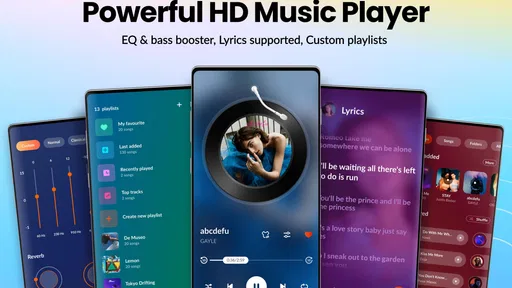
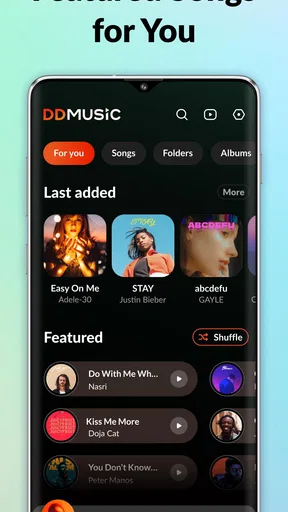
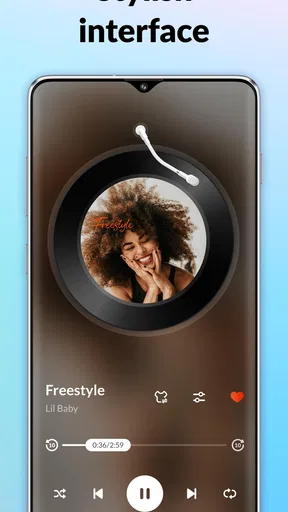
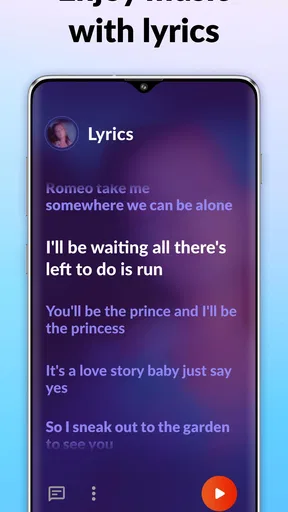
Our Review of Music Player & MP3 - DDMusic
 Analysis by Appyee
I judge a music player by what happens after I tap play: can I get to the right track quickly, make it sound comfortable on my headphones, and keep listening when the connection disappears? That practical focus is what makes Music Player & MP3 - DDMusic worth considering. It is an Android music and audio app from Hitchhike Tech, aimed at people who want a straightforward way to listen to music files, rather than a complicated production workspace.
A useful starting point for a personal library
DDMusic makes most sense when you already have tracks you want to play and want a dedicated place to listen to them. That is a different starting point from opening a streaming service and searching its catalogue: here, the value is in handling music you can access on your device, with tools such as lyrics and an equalizer close at hand. I would look at it as a listening and library companion, not as a way to compose, record, or publish new music.
That distinction helps set expectations. If your goal is to hear a specific song you do not own or have stored, a streaming app is usually the more direct choice. If you have a collection of MP3s and want to play them without relying on a constant connection, a local-file player can fit better. The app is free to install, with optional in-app purchases listed from $1.99 to $11.99 per item, so I would treat any paid extras as a separate decision rather than assume they are necessary for basic listening.
The app is rated for Everyone, and its broad audience is easy to understand: casual listeners can use a player without learning a complicated audio workflow, while more particular listeners can make use of the sound controls. It has a 4.6 average from around 1.5 million ratings and over 100 million installs. Those figures suggest that it has reached a large audience, though popularity alone cannot tell you whether it suits your music habits.
First Impressions Matter
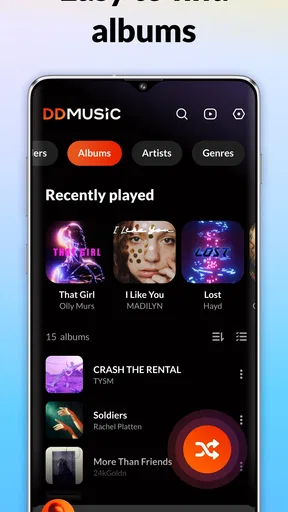
When I first opened Music Player & MP3 - DDMusic, I was immediately struck by its sleek and intuitive design. The layout is clean, making it super easy to navigate. No more hunting down your favorite tunes or trying to figure out complicated settings. Everything is right where it should be. The developers clearly understand that a good first impression goes a long way, and they nailed it.
The Features You Didn't Know You Needed
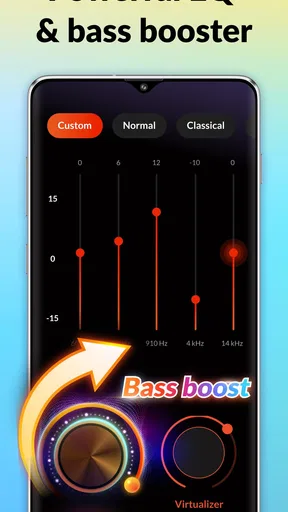
Now, let’s talk features. This app isn’t just about playing your favorite tracks; it's about enhancing your entire music experience. You can create playlists in a snap, and the equalizer feature lets you customize your audio to match your vibe. Whether you're into bass-heavy beats or smooth acoustics, there's a setting for everyone.
One of the coolest features has to be the lyrics display. Gone are the days of guessing the lyrics to your favorite songs. With this app, you can sing along without missing a beat. The lyrics sync perfectly with the music, so you can channel your inner rockstar anytime, anywhere.
Making the most of listening controls
An equalizer is most useful when you approach it as a small correction tool rather than a contest to make every slider dramatic. I would start with a familiar track, make one modest adjustment, and listen for a real improvement before changing anything else. If a song suddenly sounds harsh or muddy, returning toward a flatter setting is often more helpful than pushing the bass or treble further. This kind of careful comparison makes the control practical across different headphones, instead of locking you into a setting that only flatters one album.
Lyrics are also best treated as a companion to listening, not as a reason to expect every track to behave identically. When they are available and displayed in step with a song, they make a commute or a quiet sing-along more engaging. For a listener who is learning words, a useful habit is to follow a verse once, then put the screen away and listen; that keeps the app from turning every session into a phone-checking exercise.
Seamless Integration and Versatility
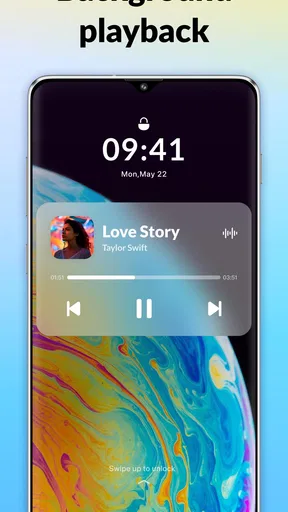
What really sets DDMusic apart is its seamless integration with other devices. Whether you’re streaming to a Bluetooth speaker or using it in your car, the connection is as smooth as butter. Plus, the app supports a wide range of audio formats, so you can rest assured your entire music library is compatible.
Additionally, the app's offline mode is a lifesaver. You can download your favorite tracks and listen without an internet connection. Perfect for those long flights or road trips where Wi-Fi is nonexistent.
A practical offline routine
For a trip, I would prepare a playlist while connected and then check that the chosen tracks are available offline before leaving. That small check matters more than building a huge collection at the last minute: it gives you a focused set for the journey and avoids discovering, just as the train or plane departs, that a song is not ready to play. The same routine works for a gym session or a commute through patchy reception.
Offline listening is especially useful when you want to avoid depending on signal, but it does not make every kind of music access equivalent. It is a good fit for files already available to the player; it is not a replacement for a streaming catalogue when you want to browse unfamiliar artists or instantly search for a track you have never saved. I would also keep a little organization in the source library: clear filenames and sensible folders make it easier to find what you want than trying to repair a messy collection from inside any player.
The User Experience
The user experience is top-notch. DDMusic doesn’t bombard you with ads or ask for unnecessary permissions, which is a huge plus in my book. The app runs smoothly without any annoying lag or crashes, which is essential when you're in the middle of a jam session.
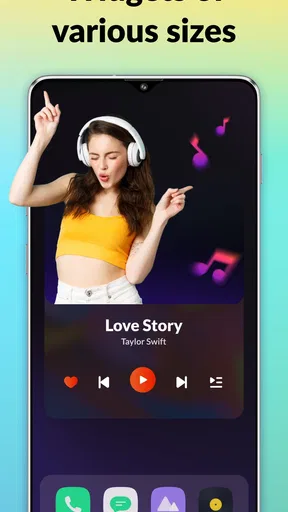
Another thing I love is the app's customization options. You can tweak the theme to match your personal style, making the app feel truly yours. Little touches like this really enhance the overall experience and make it enjoyable to use every day.
Where it fits among everyday alternatives
Compared with a basic player bundled with a phone, DDMusic is appealing if you want a more tailored listening experience with an equalizer, lyrics, playlists, and offline playback in one place. The trade-off is that a dedicated player cannot automatically solve problems in the music collection itself: if tracks are missing, poorly named, or stored somewhere the app cannot access, the convenience of its controls will not help until the library is sorted out.
Compared with a subscription streaming service, the advantage is control over listening to music you already have without making every session depend on an internet connection. The disadvantage is discovery. Streaming services are generally better when you want recommendations, broad catalogue browsing, or quick access to music outside your collection. I would choose DDMusic for prepared listening and a streaming service for exploration, rather than expecting either approach to do both jobs equally well.
Small checks that prevent annoying surprises
If a track does not appear where you expect, I would first check whether the file is actually available on the device and whether it is in a location the player can reach. That is a more useful first step than assuming the audio itself is broken. For a growing library, I would also make playlists around situations—such as focus, walking, or a short drive—rather than relying on one enormous list. It reduces scrolling when you only have a moment to choose.
For Bluetooth listening, it is worth checking playback at home before depending on the setup during a drive or gathering. The app can be part of that handoff, but Bluetooth behavior also depends on the paired speaker, headphones, or car system. If a connection is unreliable, testing the device pairing separately helps narrow down the cause instead of blaming the player automatically.
Who should choose it—and who may not
I would recommend this app to someone with a personal music library who wants playback, playlists, sound adjustment, lyrics, and offline access without turning listening into a technical project. It can also suit a person who keeps a few dependable albums or mixes ready for travel and prefers not to use mobile data for every session.
I would skip it if the main thing you want is an enormous searchable catalogue, shared listening features, or a steady stream of new recommendations. I would also look elsewhere if you need a desktop-first music management workflow, detailed production tools, or precise editing and mastering; this is a player, not a studio. The Android app is currently version 2.7.2 and requires Android 6.0 or later, so it is not an option for someone who needs an iOS version or a device below that Android requirement.
Wrapping Up My Thoughts
So, is Music Player & MP3 - DDMusic worth downloading? Absolutely! Whether you're a casual listener or a hardcore audiophile, this app offers everything you need in a music player and then some. With its user-friendly interface, robust features, and reliable performance, it’s a solid choice for anyone looking to elevate their music experience.
If you're tired of your current music app letting you down, give this one a shot. It might just become your new favorite way to listen to music. Happy listening!
My creator-minded verdict
For a creative workflow, I would place DDMusic at the listening and review stage, not at the making or delivery stage. It can help me audition tracks, compare how a mix feels through a chosen listening setup, and keep a playlist of references or finished songs ready offline. That is useful, but it is not the same as editing an audio project or exporting a finished master. I would keep production files and final exports in the tools built for those jobs, then use this app for convenient playback.
In daily use, the most realistic payoff is modest but meaningful: I can choose a prepared playlist before leaving home, adjust the sound for my headphones, and keep listening when reception drops. The best reason to try it is that combination of familiar-file playback and handy listening features. The reason to pass is equally clear: if your music life begins with searching a streaming catalogue, DDMusic is not aimed at that need. For the right library and routine, it is a practical free starting point; just decide whether any optional purchase offers something you personally need before spending.
Privacy and Permissions
See what permissions an app requests and how it handles your data.
- Location
- approximate location (network-based), precise location (GPS and network-based)
- Photos/Media/Files
- access USB storage filesystem, read the contents of your USB storage, modify or delete the contents of your USB storage
- Storage
- read the contents of your USB storage, modify or delete the contents of your USB storage
- Camera
- take pictures and videos
- Wi-Fi connection information
- view Wi-Fi connections
- Other
- view network connections, send sticky broadcast, change network connectivity, connect and disconnect from Wi-Fi, full network access, run at startup, draw over other apps, control vibration, prevent device from sleeping, modify system settings, install shortcuts
Verdict
Strengths of Music Player & MP3 - DDMusic
- User-friendly interface for easy navigation.
- High-quality audio output and sound options.
- Supports a wide range of audio formats.
- Customizable playlists and themes.
- Offline playback for seamless listening.
Limitations of Music Player & MP3 - DDMusic
- Contains ads that might disrupt usage.
- No built-in equalizer for sound tweaking.
- Limited free version features available.
- Requires frequent updates for bug fixes.
- Some users report occasional app crashes.
Other Releases by Hitchhike Tech
View All
Voice Changer - Sound Effects
Music & Audio4.4
Similar Picks in This Category
View All
YouTube Music
Google LLC4.4

Samsung Music
Samsung Electronics Co., Ltd.3.8

Spotify: Music and Podcasts
Spotify AB4.3

JioSaavn - Music & Podcasts
Saavn Media Limited4.3

Lark Player:Music Player & MP3
Lark Player Studio - Music, MP3 & Video Player4.6

StarMaker: Sing Karaoke Songs
SKYWORK AI PTE. LTD.4.3
Frequently Asked Questions
What features does Music Player & MP3 - DDMusic offer?
Music Player & MP3 - DDMusic provides a variety of features including a built-in equalizer, playlist creation, and support for all popular audio formats. Users can also enjoy offline playback, customizable themes, and a sleep timer. These features make it a versatile choice for music lovers.
Is Music Player & MP3 - DDMusic available for both Android and iOS?
Yes, Music Player & MP3 - DDMusic is available for download on both Android and iOS platforms. Users can find it in the Google Play Store for Android devices and the Apple App Store for iOS devices, ensuring accessibility no matter what device you use.
Does Music Player & MP3 - DDMusic support offline music playback?
Absolutely, Music Player & MP3 - DDMusic supports offline music playback. Users can download their favorite tracks and enjoy them without an internet connection, making it a great option for on-the-go listening or when traveling to areas with limited connectivity.
Are there any in-app purchases or ads in Music Player & MP3 - DDMusic?
Music Player & MP3 - DDMusic is free to download, but it does include ads. However, users have the option to make in-app purchases to remove ads and unlock additional features, offering a more personalized and uninterrupted listening experience.
How user-friendly is the interface of Music Player & MP3 - DDMusic?
The interface of Music Player & MP3 - DDMusic is designed to be intuitive and user-friendly. It features a sleek design with easy navigation, allowing users to quickly access their music library and settings. The app’s layout is straightforward, making it suitable for users of all ages.
